The User Opt-In Workflow
- The sequence of screenshots shown below shows the full Opt-in process for this campaign.
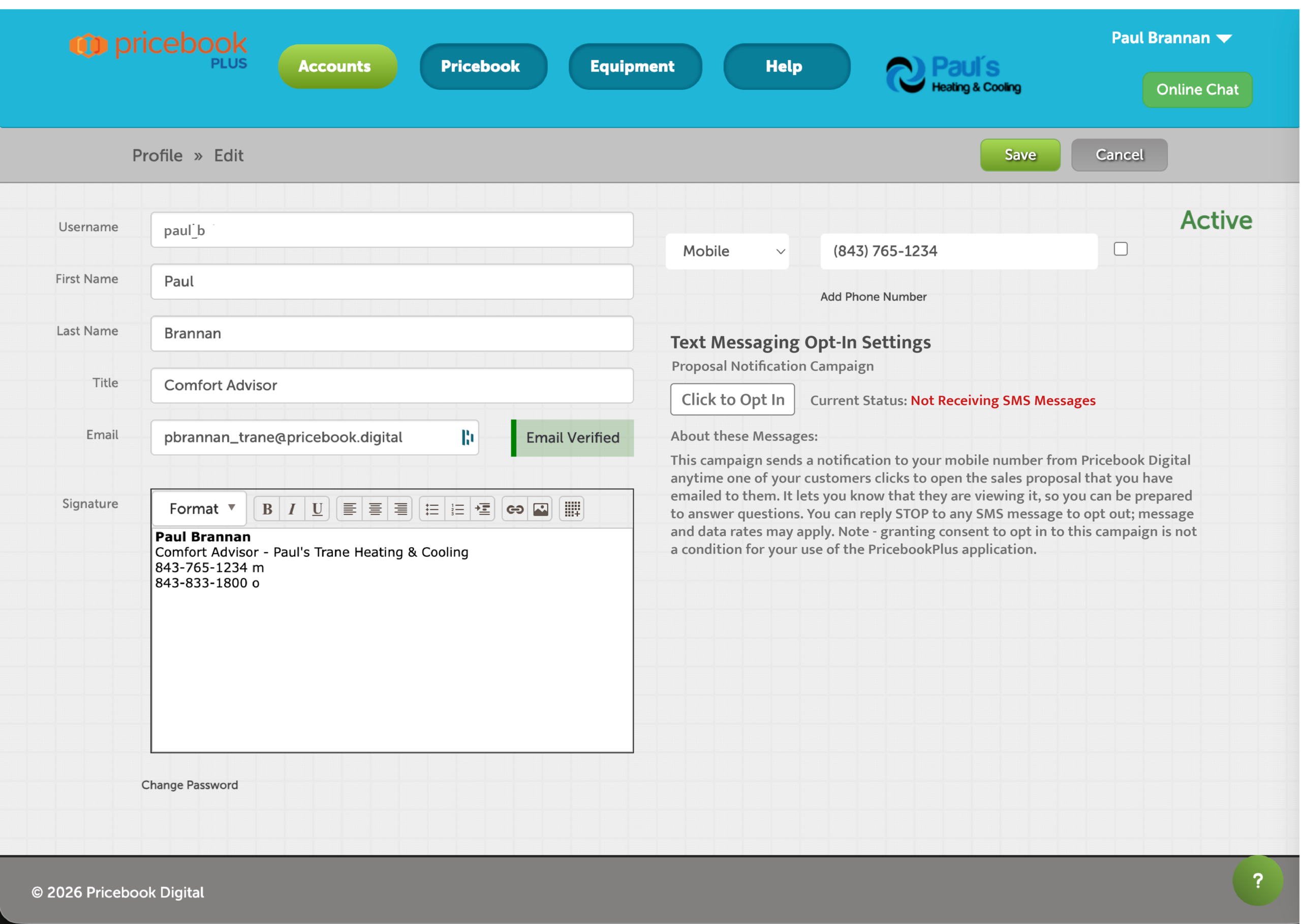
- When the user logs into the PricebookPlus sales system, they will navigate to their User Profile page, shown below.
- They will enter their phone number if it's not already entered in the system, and will then click on the Opt-in button. Note - opting in to the SMS/text campaign is not a requirement for using the PricebookPlus application.
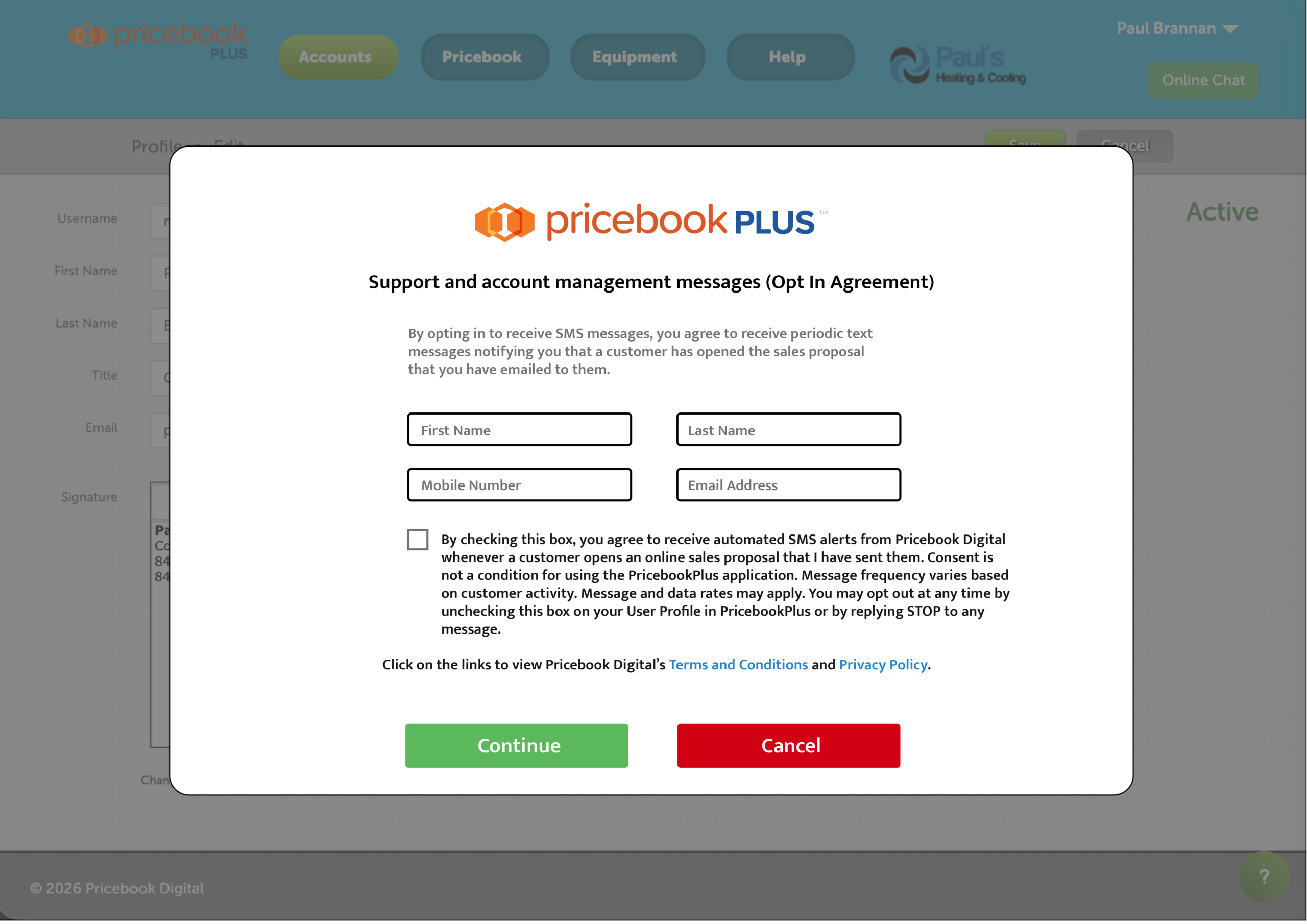
Clicking the Opt-in button will result in a pop-up being displayed, shown below. On this pop-up, they will verify (or enter) their name, phone number and email address, click the checkbox to give their consent, and click the Continue button. If the user decides not to continue with their consent when they reach this pop-up, they can click the Cancel button. If they click the Cancel button, they will be given another pop-up confirming "You are cancelling your Opt-in to text messaging for this campaign. Click the OK button to confirm your choice." Also, if they have clicked the Continue button but have not clicked on the checkbox to opt in, they will be given a pop-up telling them that they must click the checkbox to Opt-in, with an OK button to dismiss that pop-up.
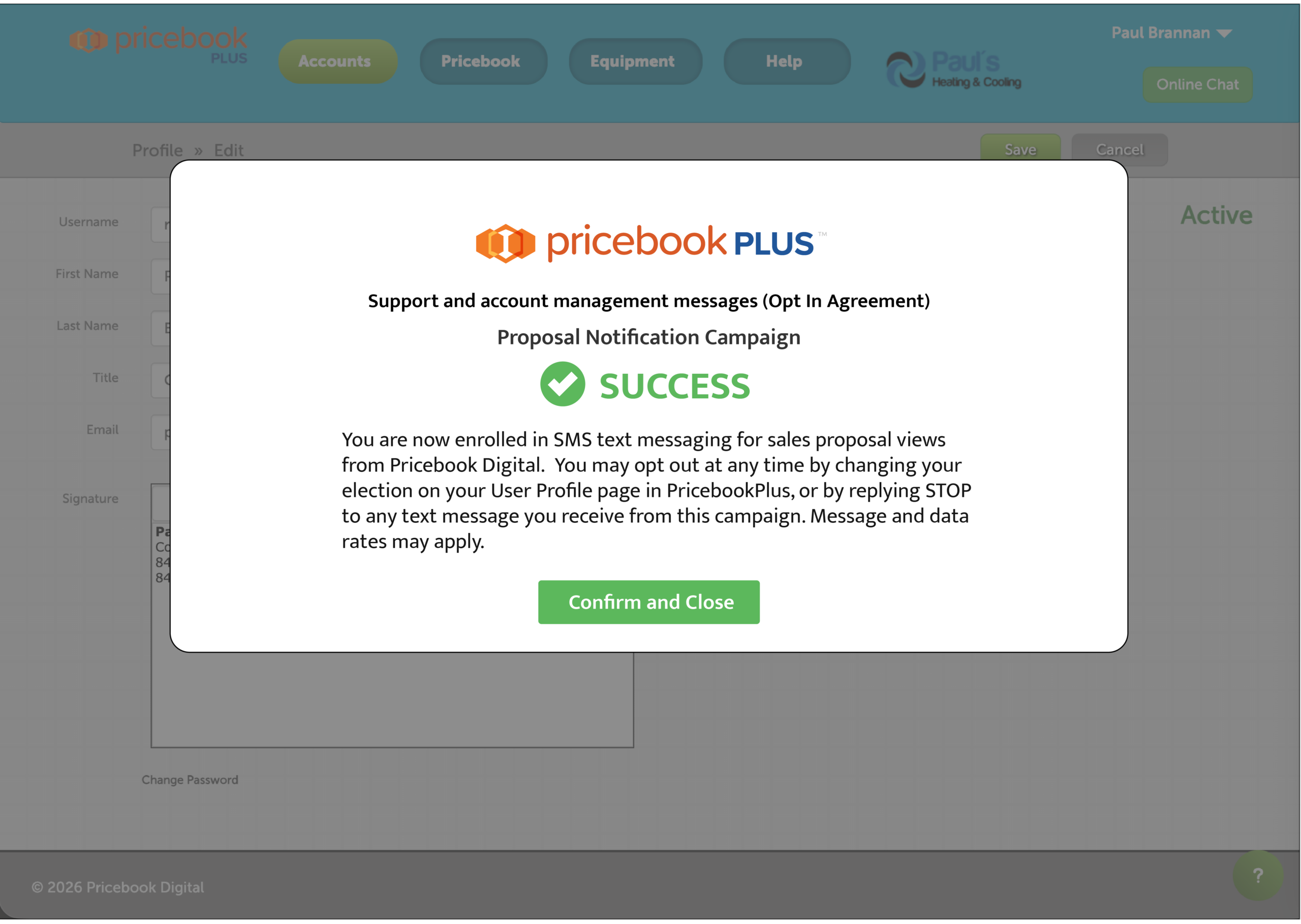
On clicking the consent checkbox and then clicking the Continue button, they will be presented with the pop-up below which confirms their consent.